
Moving From Legacy LLM Monitoring
The table pairs each part of Legacy LLM Monitoring with the approach that the Fiddler documentation points to today.
The pages in this section:
- Simple LLM Monitoring
- Enrichments
- Selecting Enrichments
- LLM Observability Metrics
- LLM-Based Metrics
- LLM Evaluation Prompt Specs
- Prompt Specs Quick Start
- Advanced Prompt Specs
- Compare LLM Outputs
Monitoring LLM Applications with Fiddler
Monitoring Large Language Model (LLM) applications with Fiddler requires publishing the LLM application’s inputs and outputs, including prompts, prompt context, responses, and the source documents retrieved (for RAG-based applications). Fiddler will then generate enrichments, which are LLM trust and safety metrics, for alerting, analysis, or debugging purposes. Fiddler is a pioneer in the AI Trust domain and, as such, offers the most extensive set of AI safety and trust metrics available today.Selecting Enrichments to Enhance Monitoring
Fiddler offers many enrichments that each measure different aspects of an LLM application. For detailed information about which enrichment to select for any specific use case, visit this page. Some enrichments use Fiddler Centor Models to generate these scores. Compare Centor Models cost to third-party LLM evaluators with the Fiddler Evals TCO calculator.Generating Enrichments with Fiddler
LLM application owners must specify the enrichments to be generated by Fiddler during model onboarding. The enrichment pipeline then generates enrichments for the LLM application’s inputs and outputs as events are published to Fiddler.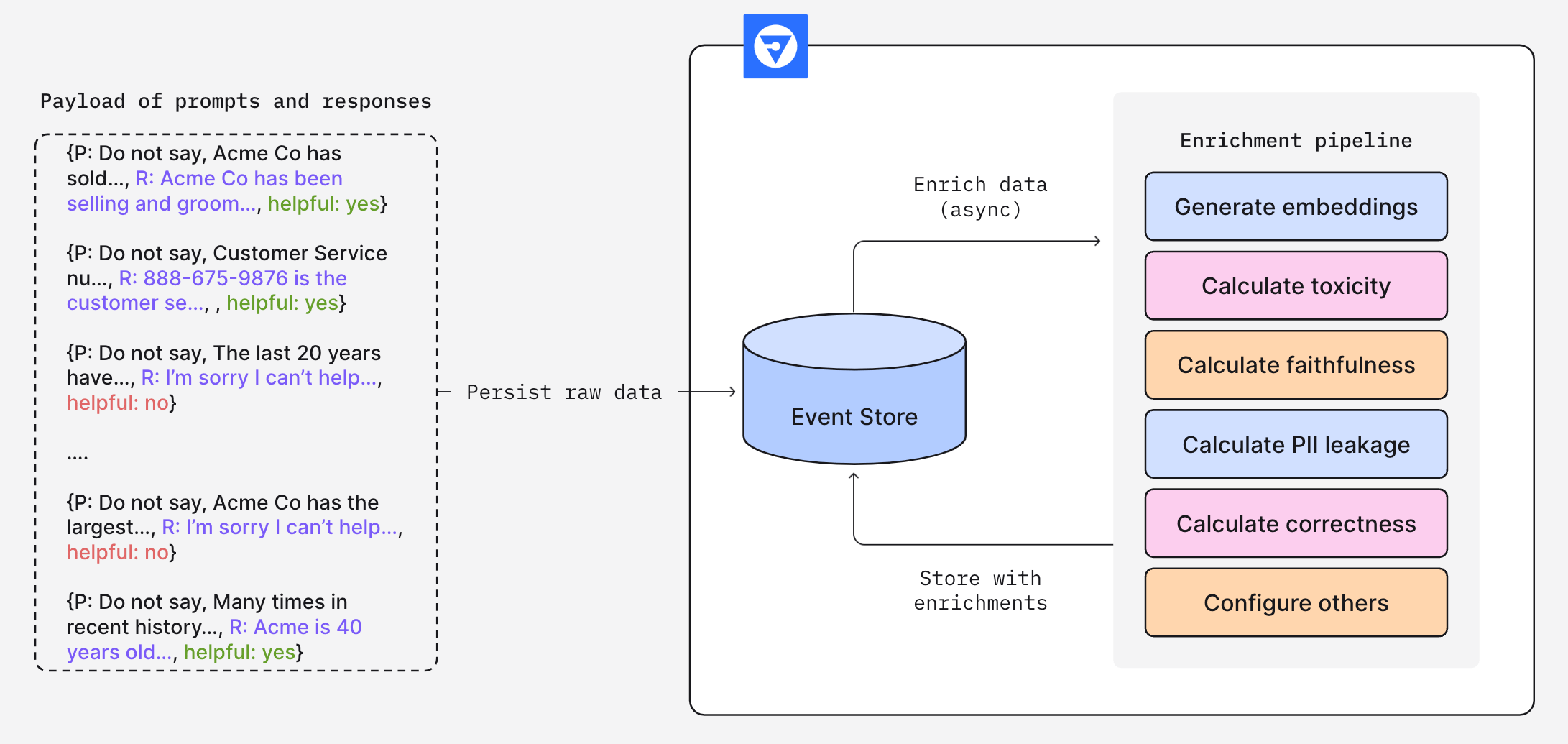
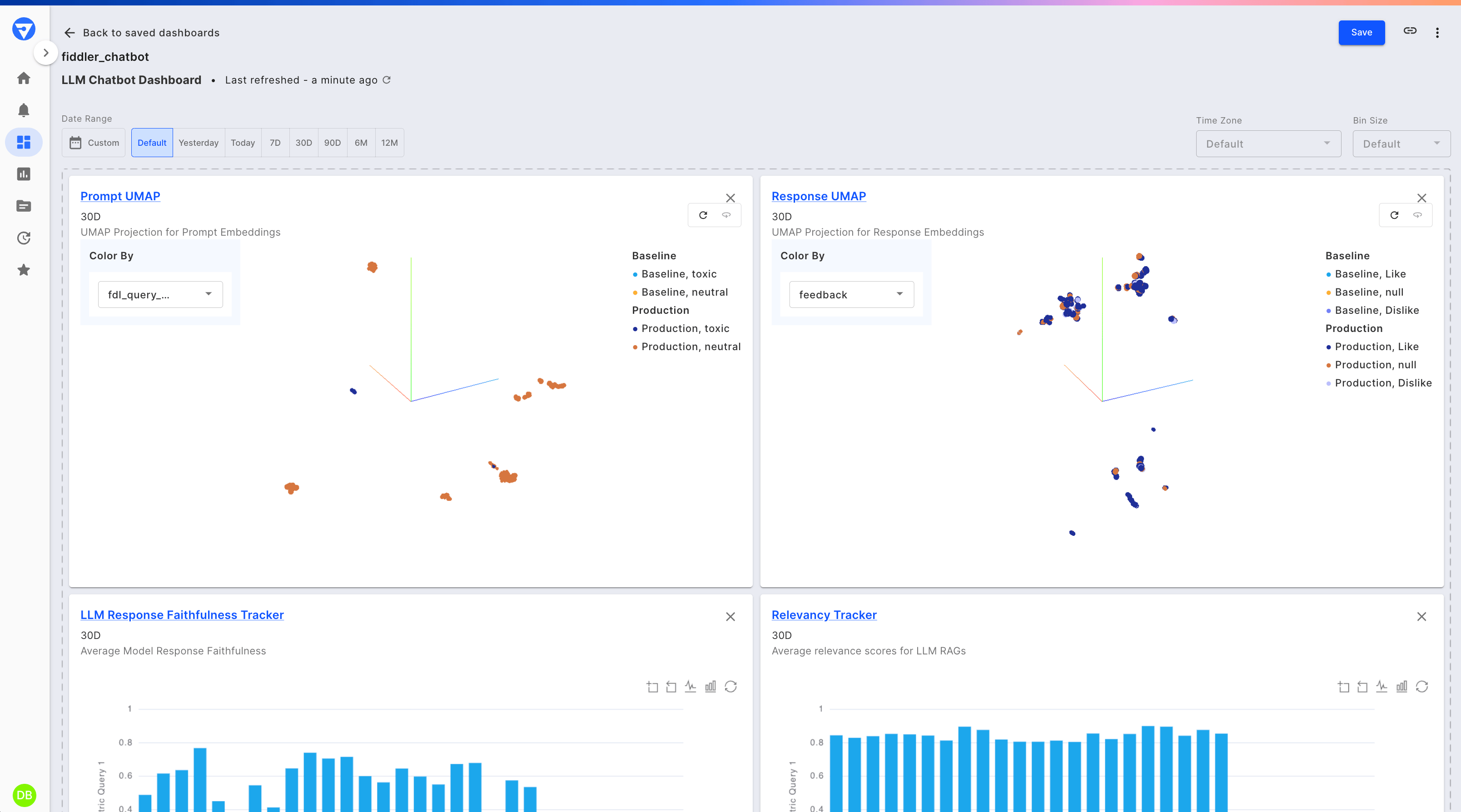
Key Capabilities
- Comprehensive Metrics: Monitor hallucinations, toxicity, relevance, latency, and many other LLM-specific metrics
- Real-time Analysis: Track performance as it happens with intuitive dashboards
- Advanced Enrichments: Generate embeddings, similarity scores, and specialized trust metrics automatically
- Drift Detection: Identify when prompts or responses drift from expected patterns
- RAG-specific Monitoring: For retrieval-augmented applications, analyze retrieval quality and source relevance
Getting Started
Implementing Fiddler LLM monitoring requires just three steps:1
Onboard your LLM application
Define its inputs, outputs, and which enrichment metrics you need.
2
Publish your application data
Send prompts, responses, and context to Fiddler.
3
Monitor performance
Use dashboards and alerts to track the metrics most important to your use case.
Next Steps
Quick Start
Stand up LLM monitoring end to end in about 10 minutes.
Reference
- Connection (SDK & API tab)
- Install the Python Client