# Feature Analytics

### Creating a Feature Analytics Chart

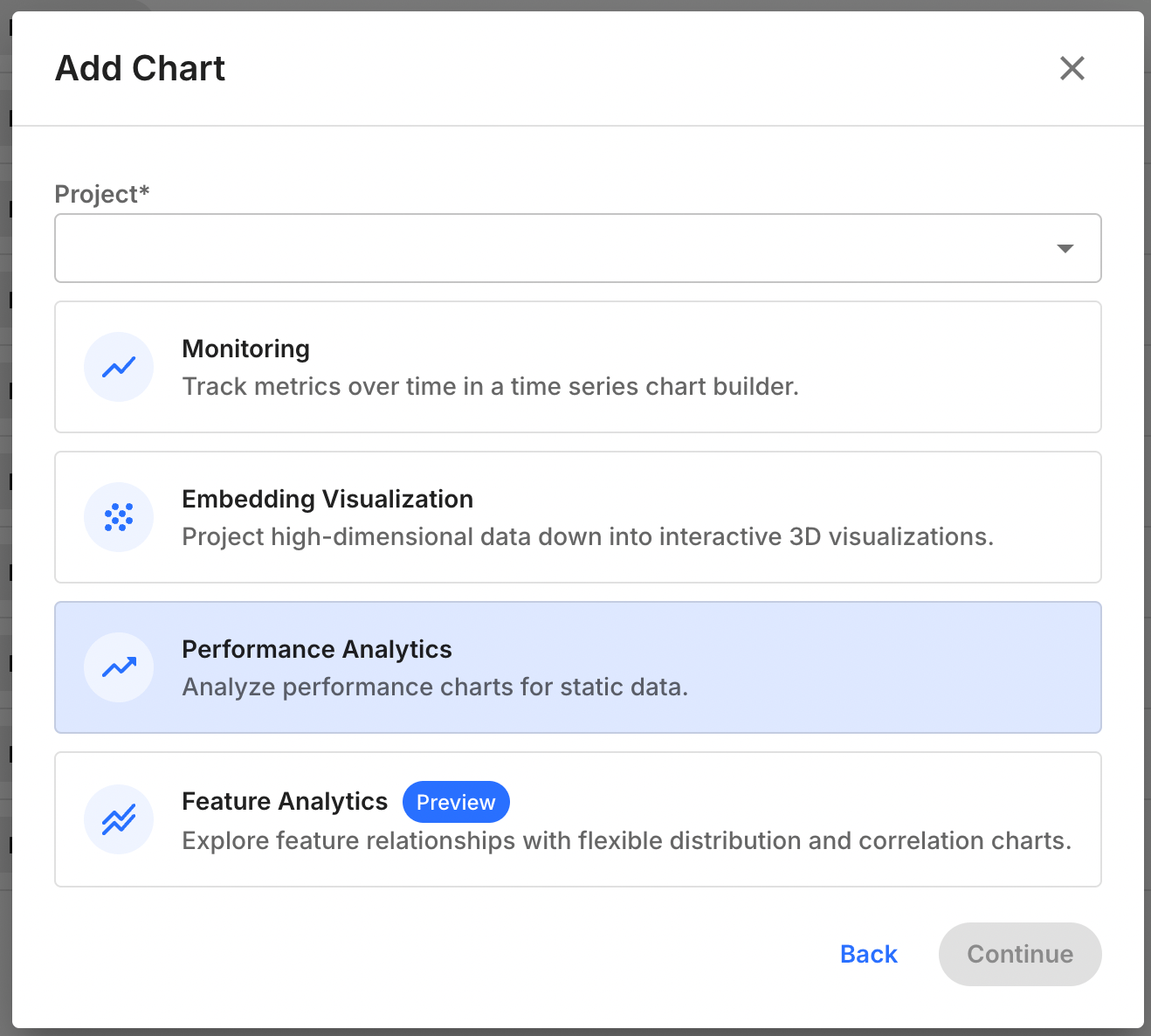
To create a Feature Analytics chart, follow these steps:

* Navigate to the `Charts` tab in your Fiddler AI instance
* Click on the `Add Chart` button on the top right
* In the modal, select a project
* Select **Feature Analytics**

![Add Chart modal dialog](https://3170638587-files.gitbook.io/~/files/v0/b/gitbook-x-prod.appspot.com/o/spaces%2F82RHcnYWV62fvrxMeeBB%2Fuploads%2Fgit-blob-ff76b2f386c43d1ab29a2d3abe06ca941fd8e7b0%2Ffeature-distribution-chart-selection.png?alt=media)

### Support

Feature analytics is supported for any model task type, but does not support time stamps or columns of type `string` or `vector`.

### Available Right-Side Controls

| Parameter   | Value                                                                                                                                                                                                                                                                                          |
| ----------- | ---------------------------------------------------------------------------------------------------------------------------------------------------------------------------------------------------------------------------------------------------------------------------------------------- |
| Model       | List of models in the project                                                                                                                                                                                                                                                                  |
| Version     | List of versions for the selected model                                                                                                                                                                                                                                                        |
| Environment | `Production` or `Pre-Production`                                                                                                                                                                                                                                                               |
| Dataset     | Displayed only if `Pre-Production` is selected. List of pre-production env uploaded for the model version.                                                                                                                                                                                     |
| Visual      | List of possible visualizations, Feature Distribution or Feature Correlation.                                                                                                                                                                                                                  |
| Segment     | <p>- Selecting a saved segment<br>- Defining an applied (on the fly) segment. This applied segment isn’t saved (unless specifically required by the user) and is applied for analysis purposes.</p>                                                                                            |
| Feature     | <p>- Feature Distribution: Select a single column of a supported data type to view the distribution of its values<br>- Feature Correlation: Select two columns to visualize their correlation<br>- Correlation Matrix: Select up to eight columns to visualize their pairwise correlations</p> |

### Available In-Chart Controls

| Control              | Value                                                                                                                      |
| -------------------- | -------------------------------------------------------------------------------------------------------------------------- |
| Time range selection | Selecting start time and end time or time label for production data. Default is last 30 days                               |
| Display              | Select how to display the chart, Histogram or Kernel Density Estimate, depending on the data type of the feature selected. |

### Displays for Feature Distribution

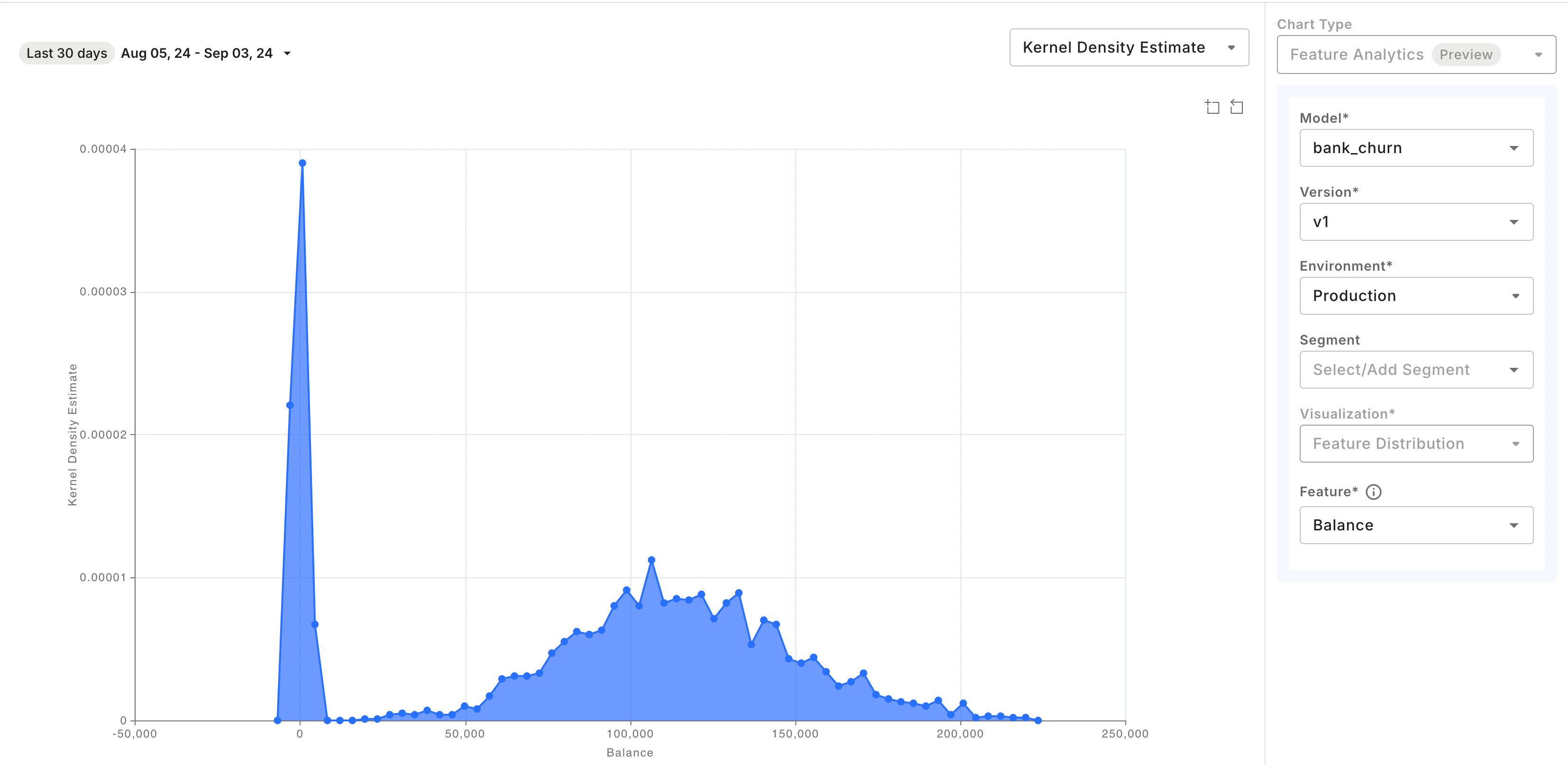
#### Kernel Density Estimate

For numeric column types, visualize feature distribution as a Kernel Density Estimate chart. ![Feature distribution chart configured with Kernel Density Estimate rendering](https://3170638587-files.gitbook.io/~/files/v0/b/gitbook-x-prod.appspot.com/o/spaces%2F82RHcnYWV62fvrxMeeBB%2Fuploads%2Fgit-blob-4089db1aa2d0a7d77c877414d45773d4404d0935%2Ffeature-analytics-kde.png?alt=media)
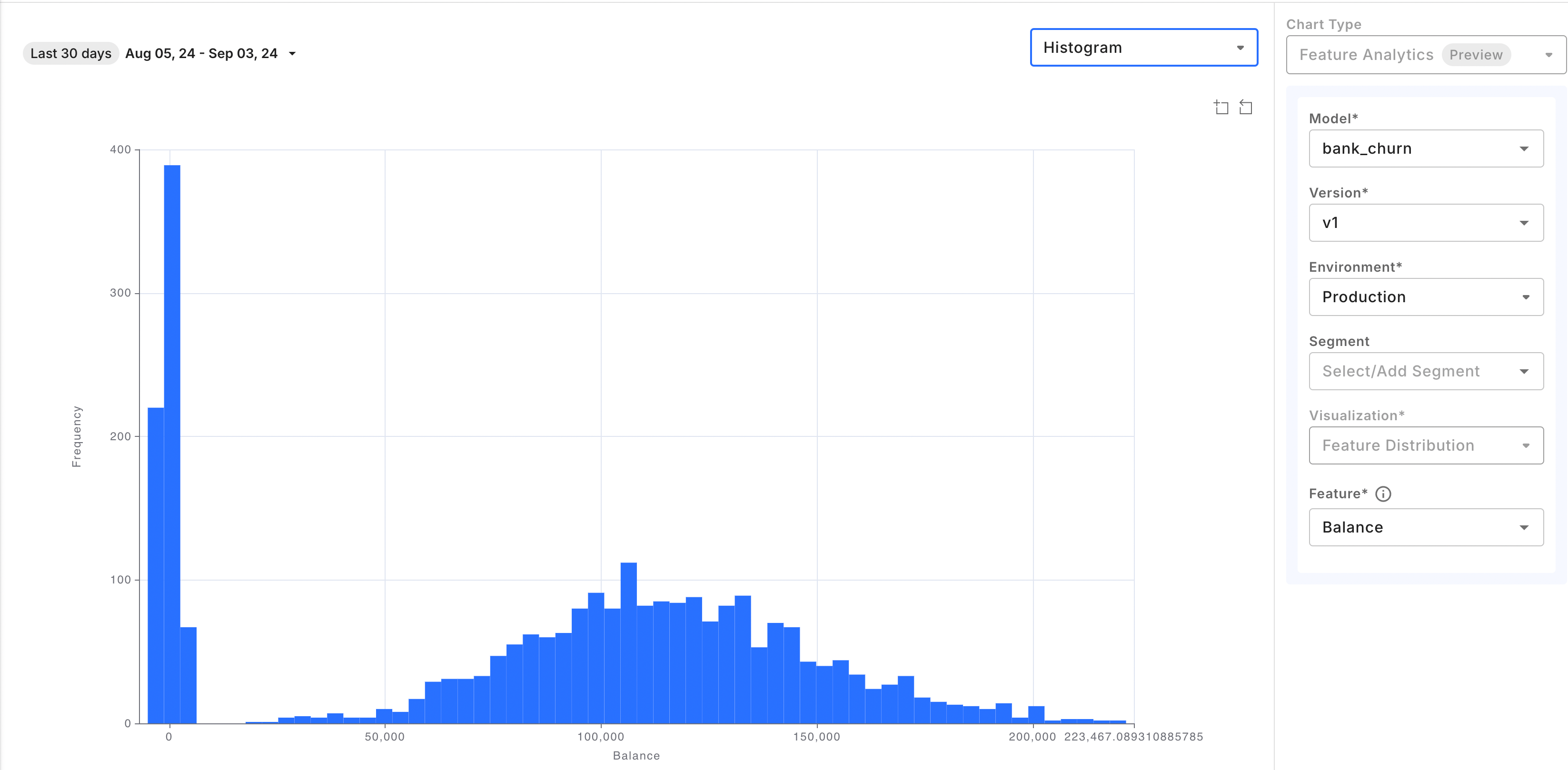
#### Histogram

Categorical and boolean value may only be displayed as Histograms, but other column types may also be displayed as such. ![Feature distribution chart configured with histogram rendering](https://3170638587-files.gitbook.io/~/files/v0/b/gitbook-x-prod.appspot.com/o/spaces%2F82RHcnYWV62fvrxMeeBB%2Fuploads%2Fgit-blob-45bf978133cd02894150a9e887837de040a32037%2Ffeature-analytics-histogram.png?alt=media)
### Displays for Feature Correlation

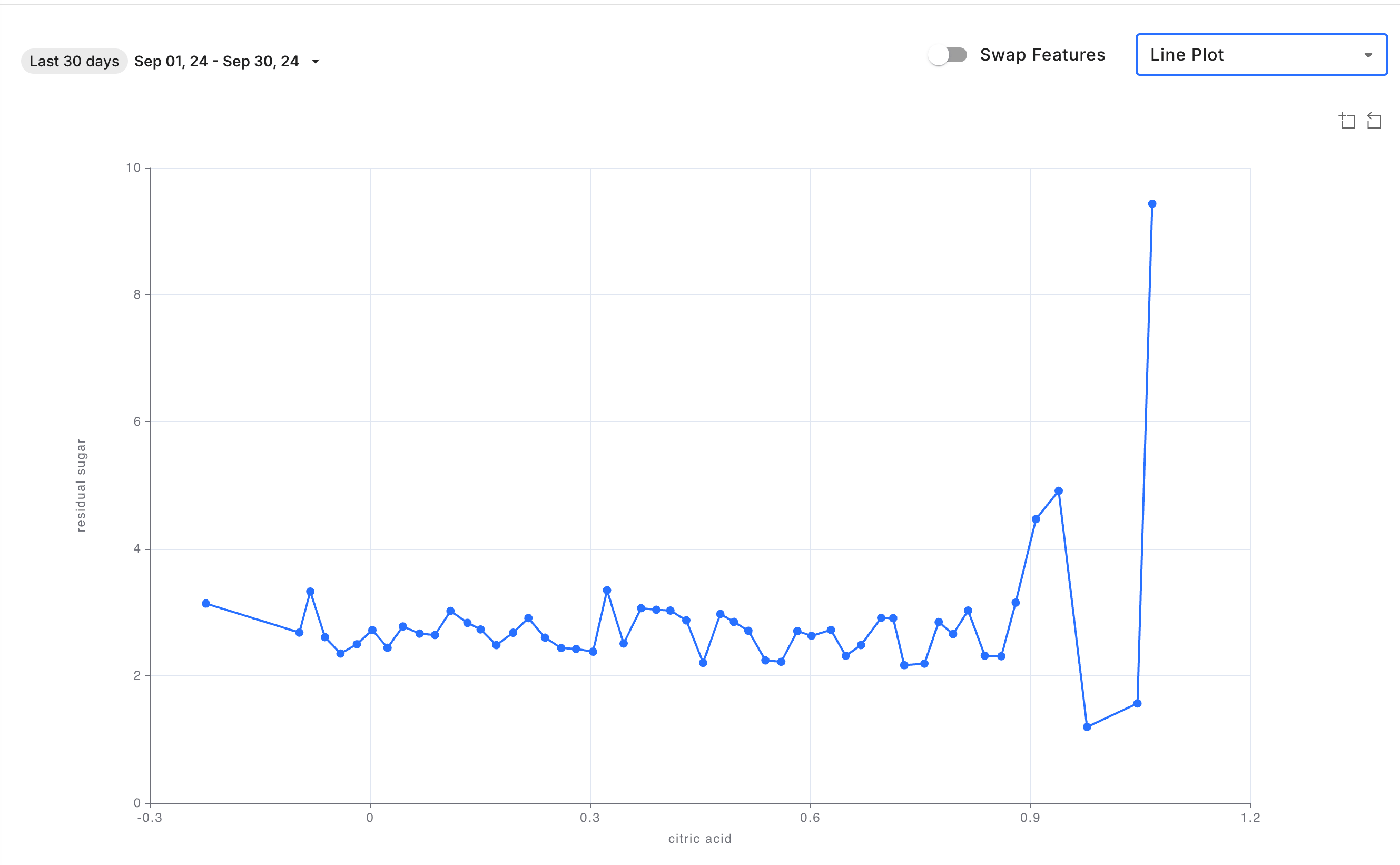
#### Line Plot

![Line plot example of Feature Correlation chart](https://3170638587-files.gitbook.io/~/files/v0/b/gitbook-x-prod.appspot.com/o/spaces%2F82RHcnYWV62fvrxMeeBB%2Fuploads%2Fgit-blob-a43745e432b8513843cbdd7ef2072ae659dad2be%2Fcorrelation-lineplot.png?alt=media)

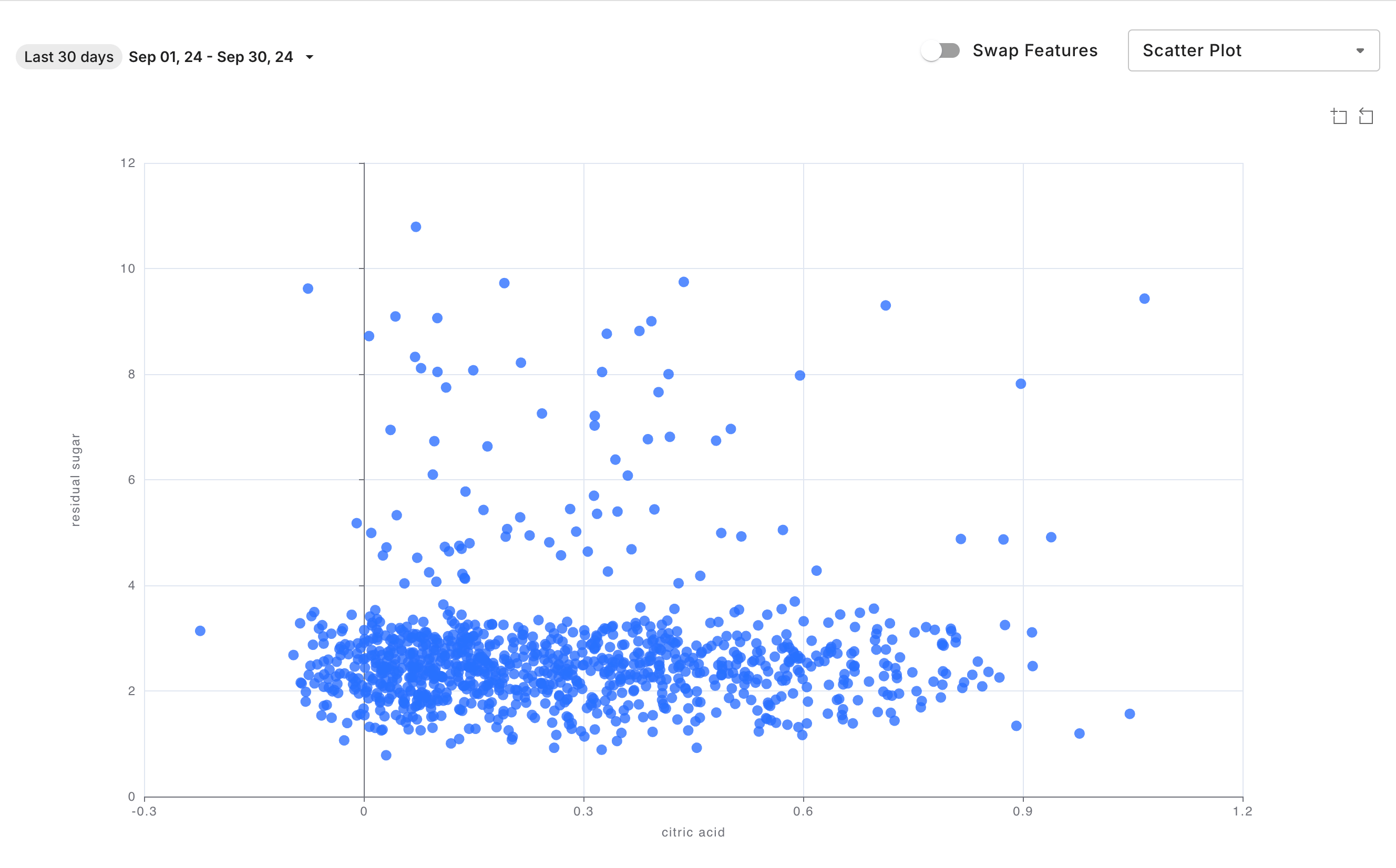
#### Scatter Plot

![Scatter plot example of Feature Correlation chart](https://3170638587-files.gitbook.io/~/files/v0/b/gitbook-x-prod.appspot.com/o/spaces%2F82RHcnYWV62fvrxMeeBB%2Fuploads%2Fgit-blob-53e3ec66fc99f9dde73d4d03c7d962ab2c07bb96%2Fcorrelation-scatterplot.png?alt=media)

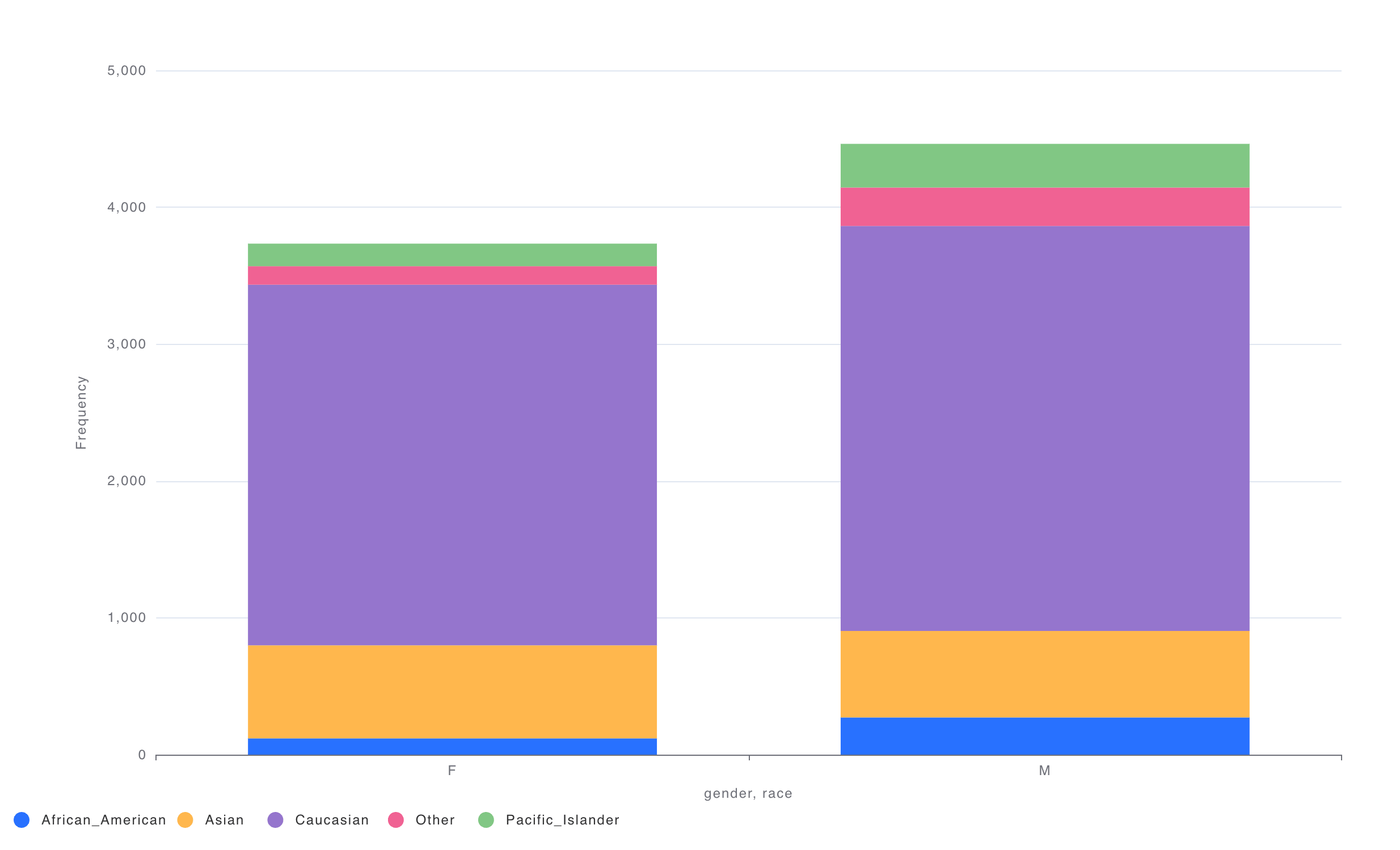
#### Stacked Bar Plot

![Stacked bar example of Feature Correlation chart](https://3170638587-files.gitbook.io/~/files/v0/b/gitbook-x-prod.appspot.com/o/spaces%2F82RHcnYWV62fvrxMeeBB%2Fuploads%2Fgit-blob-7e21dfce1d69481dcf81fa8c99db4bdbf2f733c4%2Fcorrelation-stackedbar.png?alt=media)

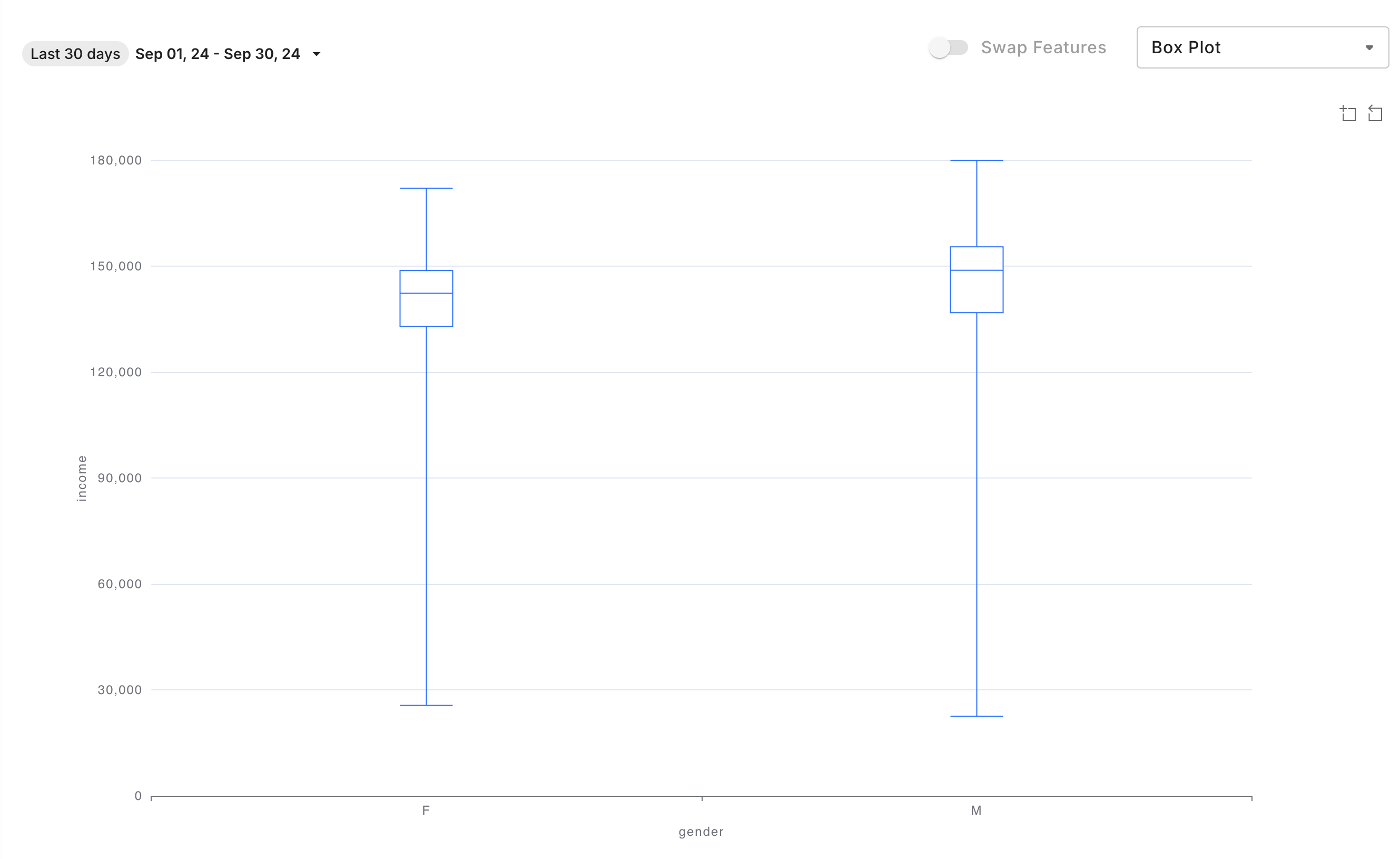
#### Box Plot

![Box plot example of Feature Correlation chart](https://3170638587-files.gitbook.io/~/files/v0/b/gitbook-x-prod.appspot.com/o/spaces%2F82RHcnYWV62fvrxMeeBB%2Fuploads%2Fgit-blob-9e8c443f435bc5db4a1a010d5c2be14f48f492d9%2Fcorrelation-boxplot.png?alt=media)

### Correlation Matrix Interactions

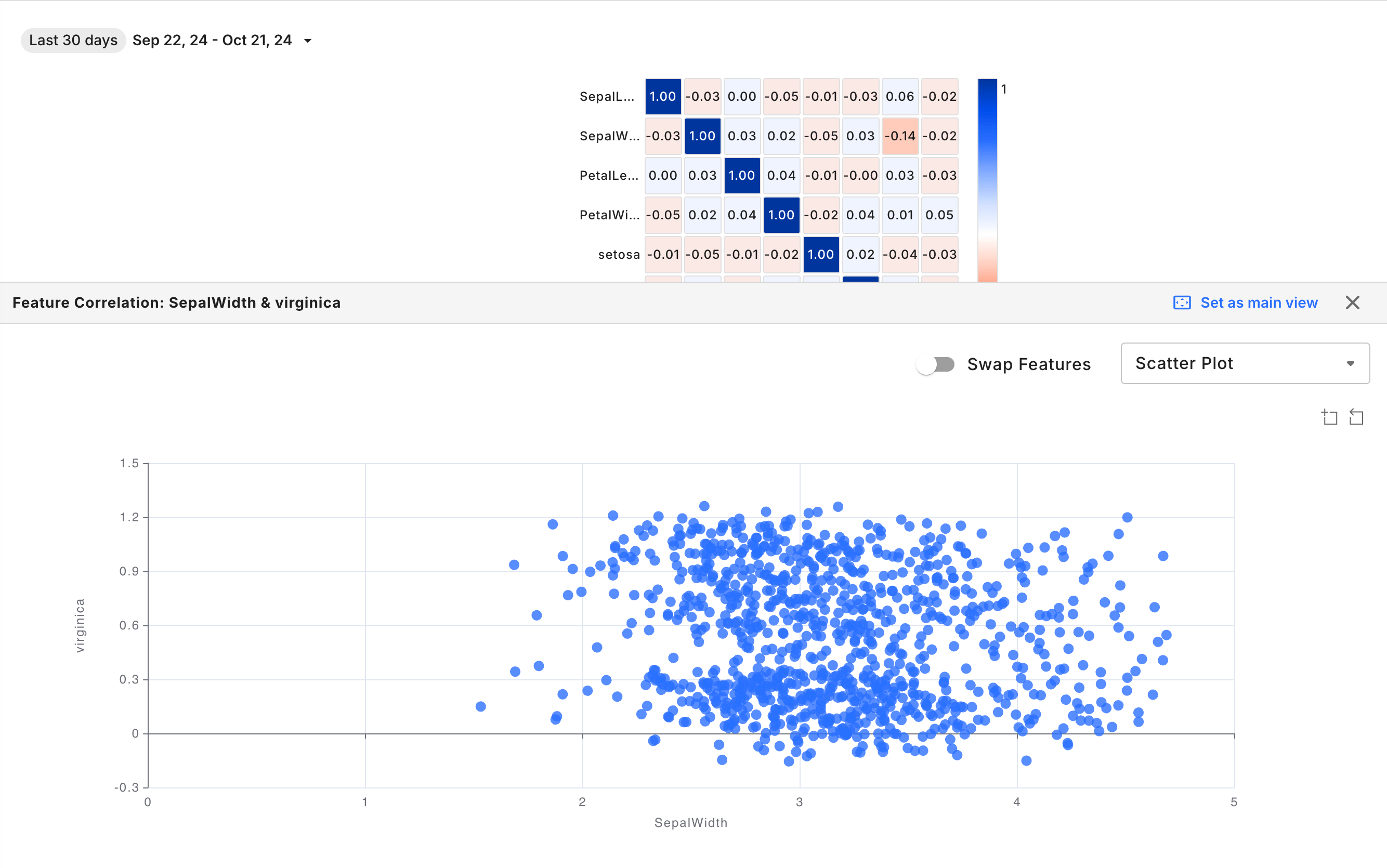
Clicking a cell in the correlation matrix opens the Feature Correlation chart, enabling a more detailed analysis of the relationship between the selected features. ![Correlation matrix interactions](https://3170638587-files.gitbook.io/~/files/v0/b/gitbook-x-prod.appspot.com/o/spaces%2F82RHcnYWV62fvrxMeeBB%2Fuploads%2Fgit-blob-9882b0fbc00848acd21d4ea0bcb3442b683ed939%2Fcorrelation-matrix-rca.png?alt=media)