Amazon SageMaker Integration
Introduction
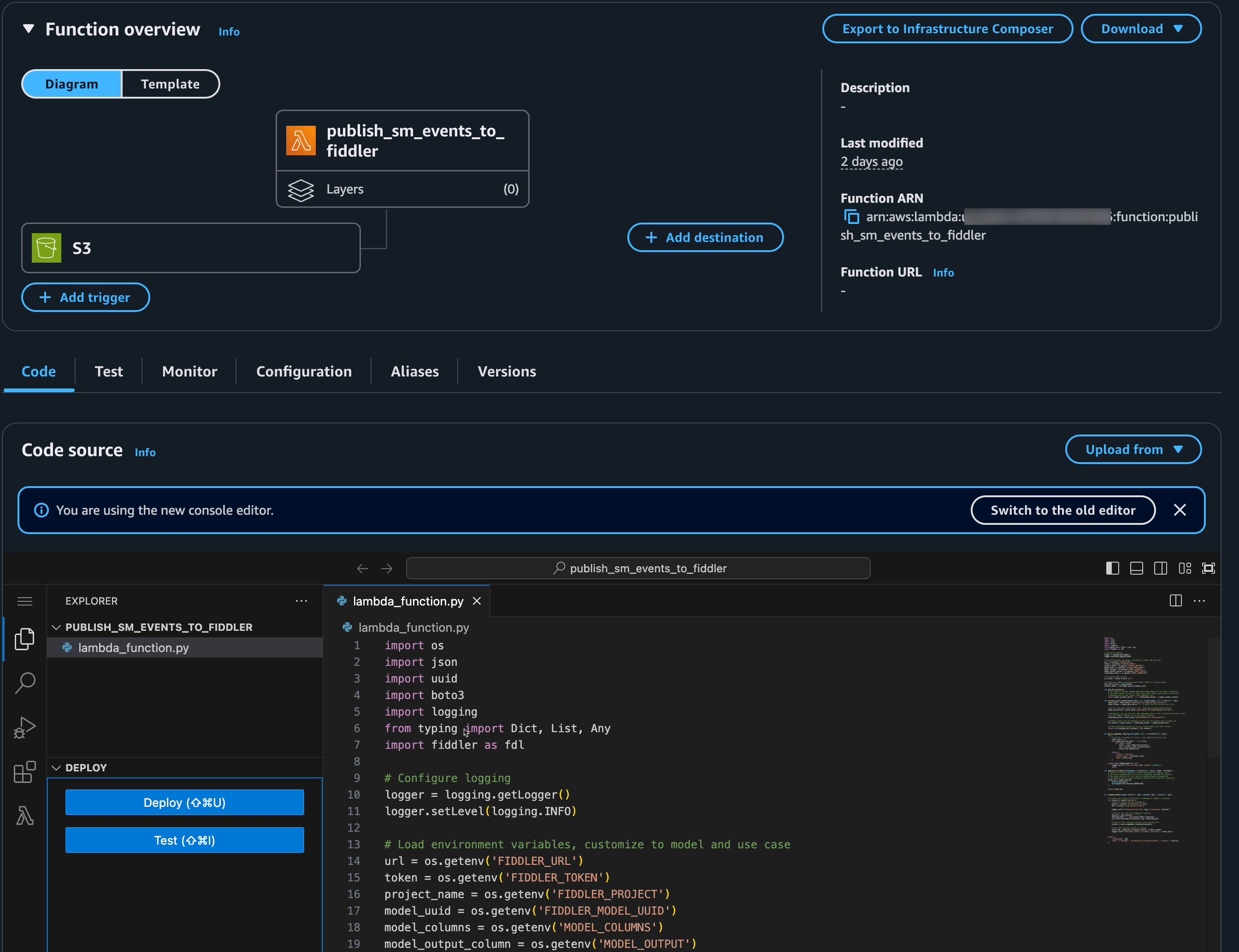
Integrate Amazon SageMaker with Fiddler to monitor your deployed models effectively. This guide shows you how to create an AWS Lambda function that uses the Fiddler Python client to process SageMaker inference logs from Amazon S3 and send them to your Fiddler instance. This integration provides real-time monitoring capabilities and valuable insights into your model’s performance and behavior.Fiddler AI Observability Platform is now available within Amazon SageMaker AI in SageMaker Unified Studio. This native integration lets SageMaker customers monitor ML models privately and securely without leaving the SageMaker environment.Learn more about the Amazon SageMaker AI with Fiddler native integration here.
Prerequisites
Before you begin, ensure you have:- An active SageMaker model with:
- Data capture enabled
- Inference logs saved to S3 in JSONL format
- Access to a Fiddler environment
- Your SageMaker model is onboarded to Fiddler (See the ML Monitoring Quick Start Guide)
- Latest Fiddler Python client version
Implementation Steps
1. Configure SageMaker Data Capture
Ensure your SageMaker endpoint has data capture properly configured:- Open the SageMaker console
- Navigate to your model endpoint
- Verify data capture is enabled and configured to save to your S3 bucket
- Confirm captured data is in JSONL format
2. Create an AWS Lambda Function
- Open the AWS Lambda console
- Click “Create function”
- Configure the basic settings:
- Name your function (for example, “fiddler-sagemaker-integration”)
- Select Python 3.10 or later as the runtime
- Choose execution permissions that allow S3 access
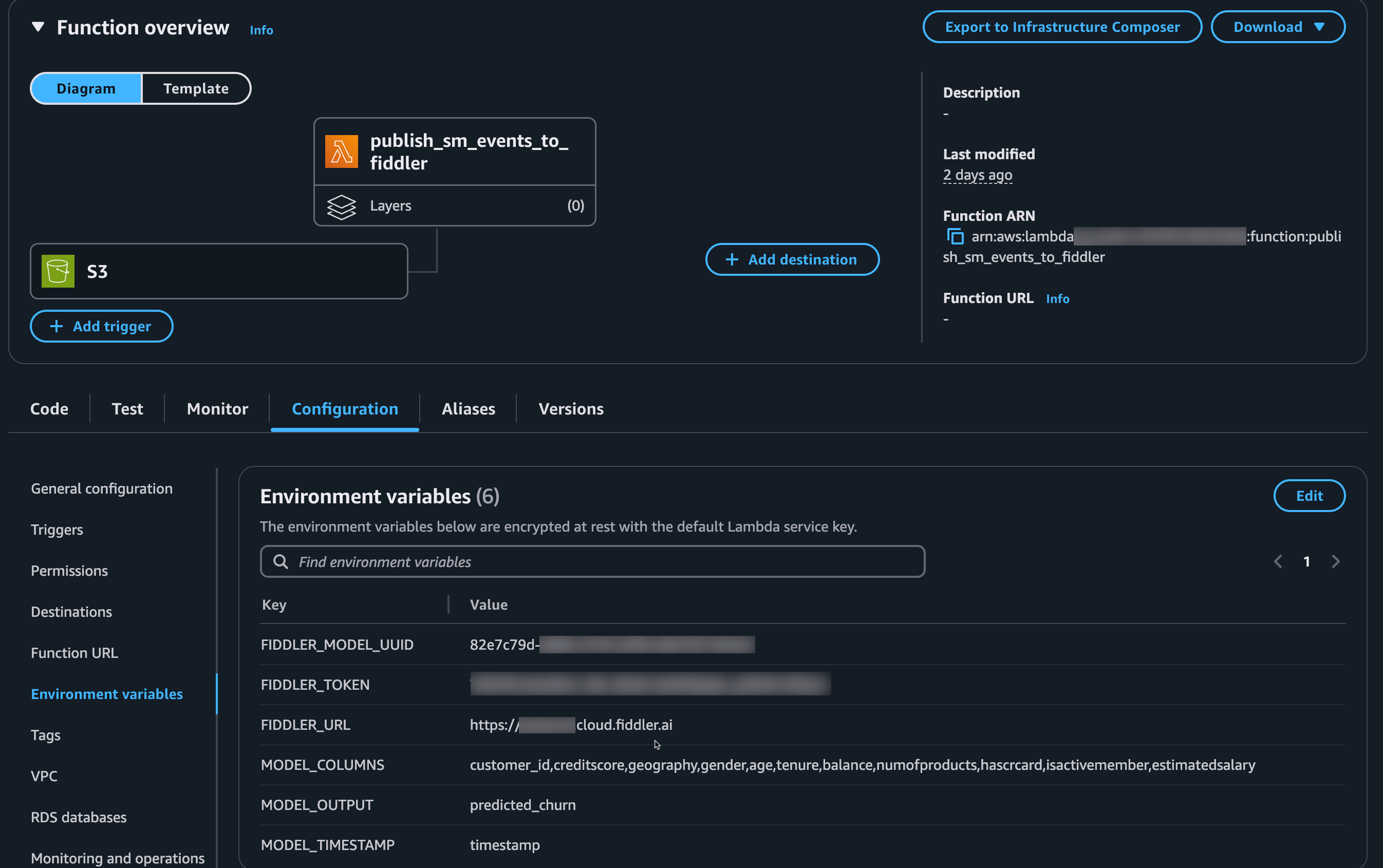
3. Set Up Environment Variables
Configure these environment variables in your Lambda function:If you provisioned Fiddler via the SageMaker AI marketplace, add these additional variables:
AWS_PARTNER_APP_AUTH: Set toTrueAWS_PARTNER_APP_ARN: The ARN of your SageMaker AI Fiddler instanceAWS_PARTNER_APP_URL: The URL of your SageMaker AI Fiddler instance
4. Configure S3 Trigger
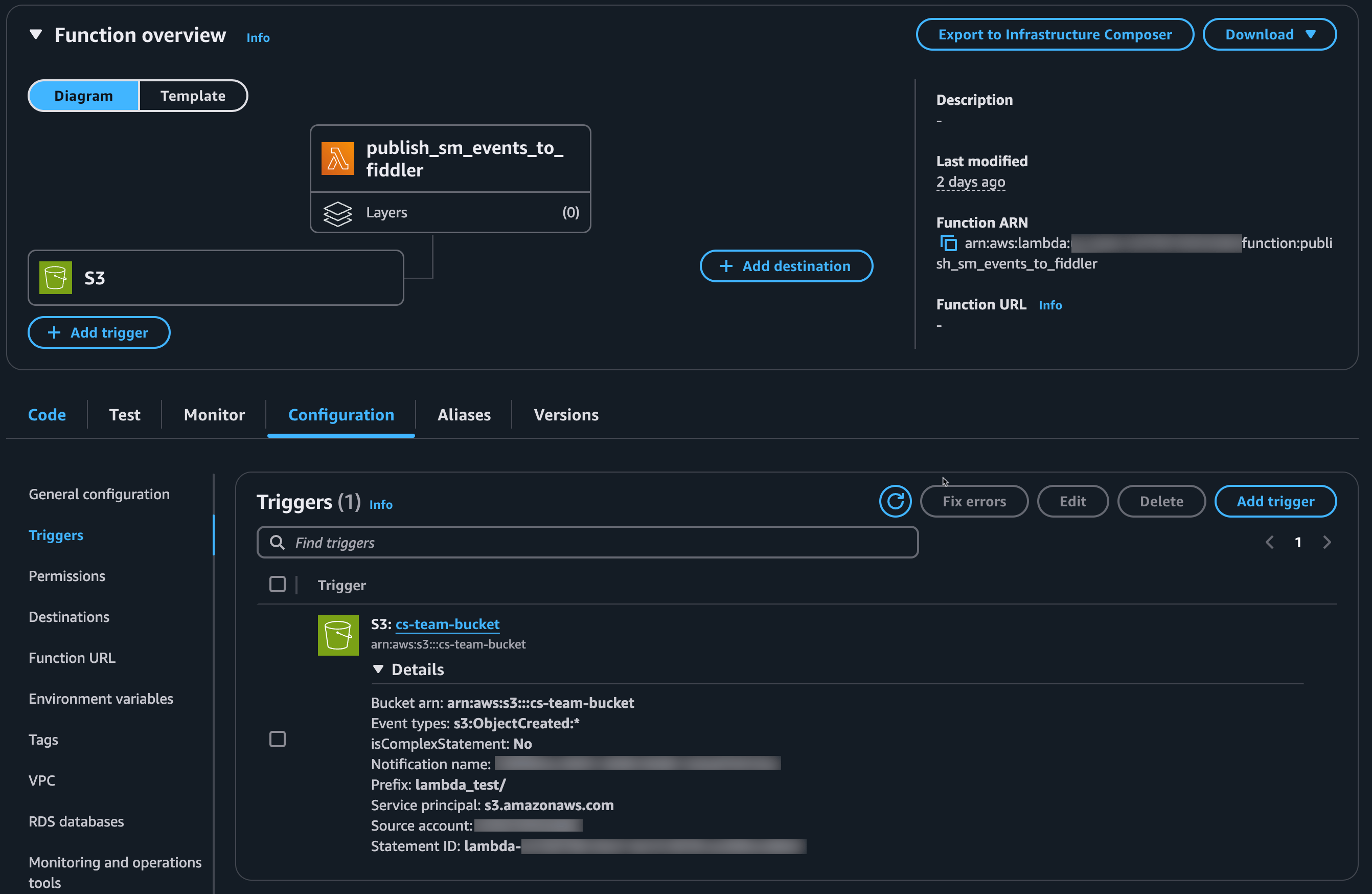
Set up your Lambda to run automatically when new data arrives:- In the Lambda console, select your function
- Choose the “Add trigger” option
- Select “S3” as the trigger type
- Configure these settings:
- Bucket: Select your SageMaker inference logs bucket
- Event type: “All object create events”
- Prefix: (Optional) Specify a path prefix if needed
- Suffix:
.jsonl(to only process JSON Lines files)
5. Add Lambda Function Code