# LLM Monitoring

### Monitoring LLM Applications with Fiddler

Monitoring Large Language Model (LLM) applications with Fiddler requires publishing the LLM application's inputs and outputs, including prompts, prompt context, responses, and the source documents retrieved (for RAG-based applications). Fiddler will then generate enrichments, which are LLM trust and safety metrics, for alerting, analysis, or debugging purposes.

Fiddler is a pioneer in the AI Trust domain and, as such, offers the most extensive set of AI safety and trust metrics available today.

### Selecting Enrichments to Enhance Monitoring

Fiddler offers many enrichments that each measure different aspects of an LLM application. For detailed information about which enrichment to select for any specific use case, visit [this](/observability/llm/selecting-enrichments.md) page. Some enrichments use Fast Trust Models to generate these scores.

### Generating Enrichments with Fiddler

LLM application owners must specify the enrichments to be generated by Fiddler during model onboarding. The enrichment pipeline then generates enrichments for the LLM application's inputs and outputs as events are published to Fiddler.
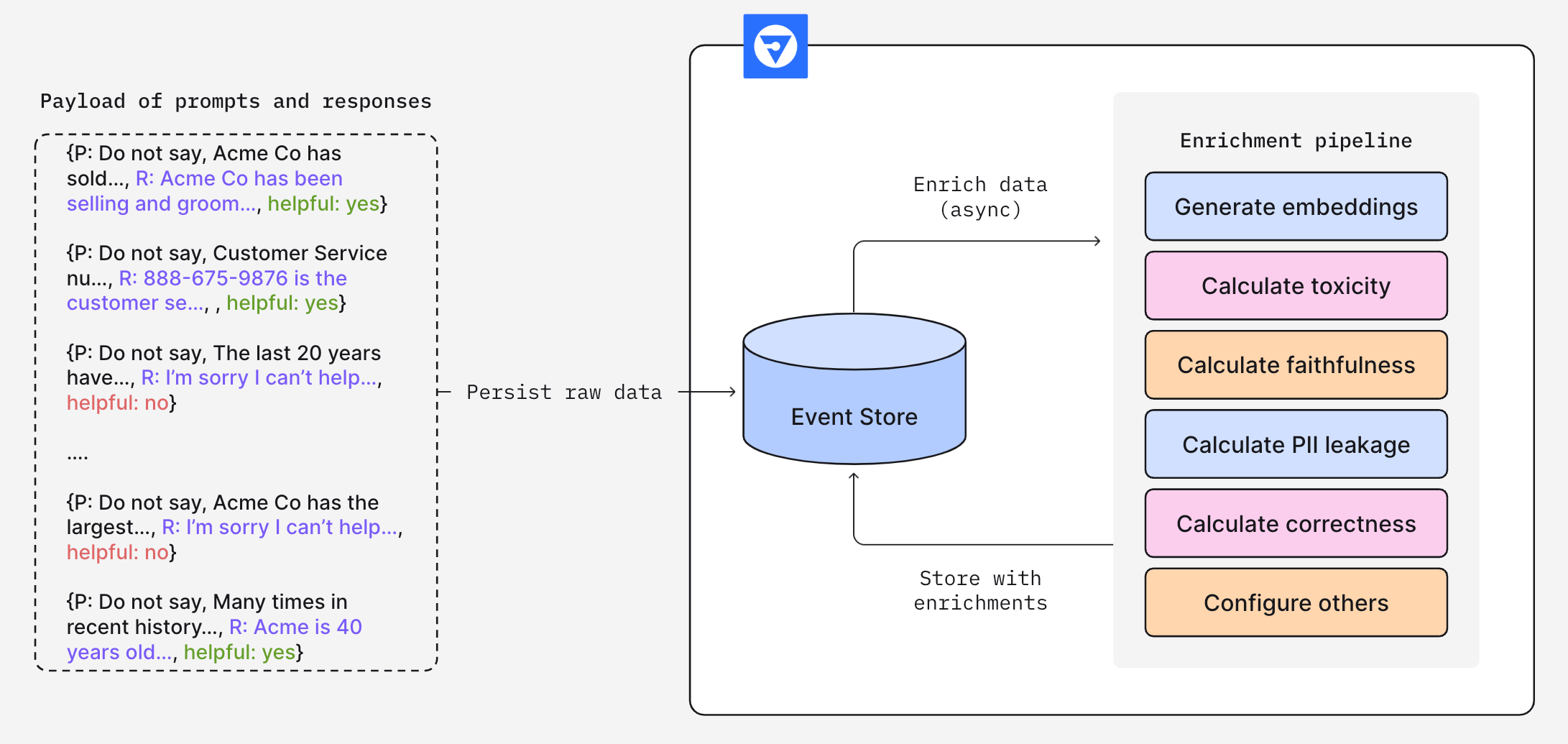
![Fiddler Enrichment Framework diagram displaying sample inputs and outputs flowing into the Fiddler enrichment pipeline.](/files/HToqfLYPHC87WV4ZeZDD)

Figure 1. The Fiddler Enrichment Framework

After the LLM application's raw, unstructured inputs and outputs are published to Fiddler, the enrichment framework augments them with various AI trust and safety metrics. These metrics can monitor the application's overall health and alert users to any performance degradation.

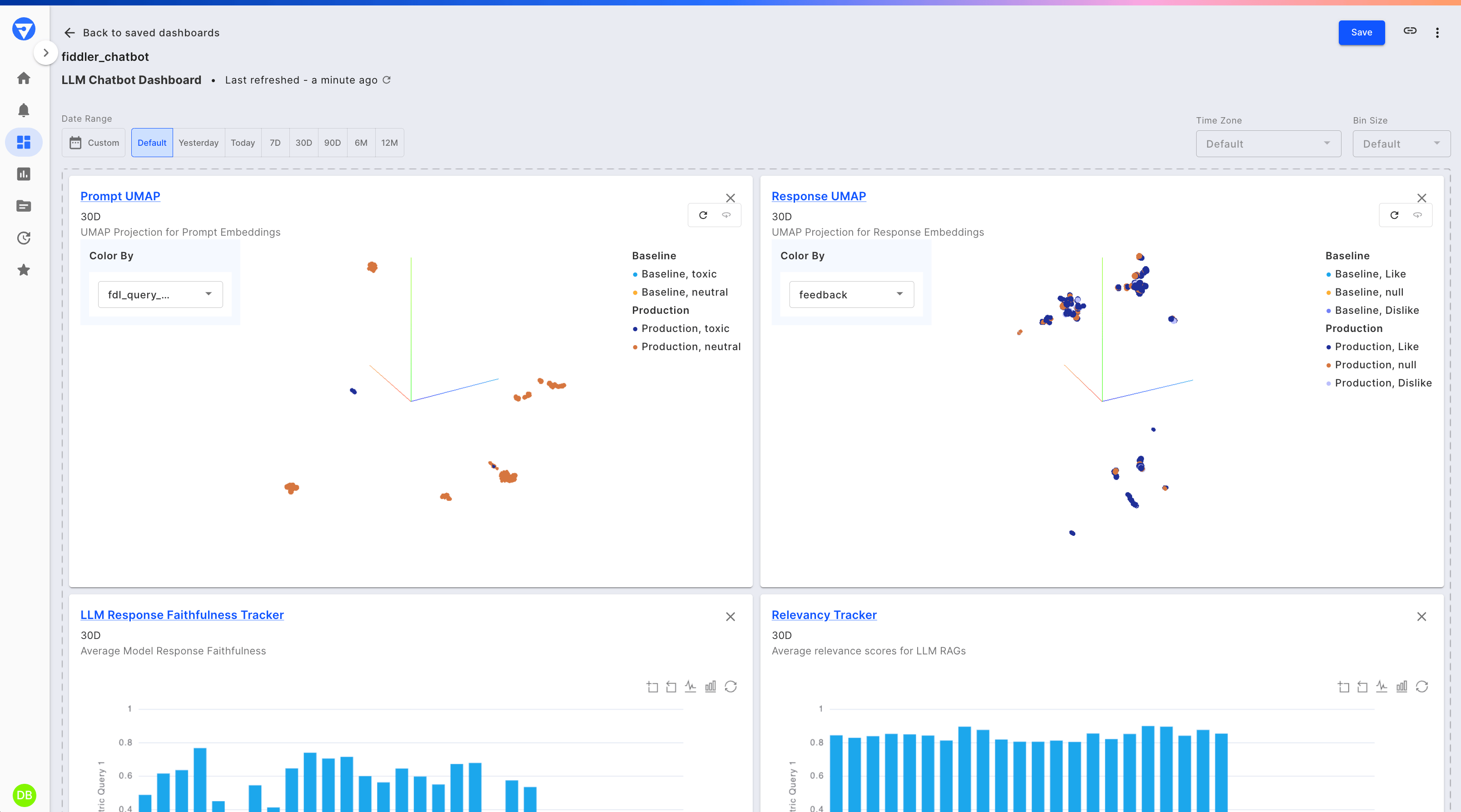
![Fiddler dashboard showing LLM application performance using enrichment metrics.](/files/yccVwKkcqB3jclMyTV8b)

Figure 2. A Fiddler dashboard showing LLM application performance

Using the metrics produced by the enrichment framework, users can monitor LLM application performance over time and conduct root-cause analysis when problematic trends are identified.

During model onboarding, application owners can opt in to the various, ever-expanding Fiddler enrichments by specifying [Enrichments](/observability/llm/enrichments.md) as custom features in the Fiddler ModelSpec object.


---

# Agent Instructions: Querying This Documentation

If you need additional information that is not directly available in this page, you can query the documentation dynamically by asking a question.

Perform an HTTP GET request on the current page URL with the `ask` query parameter:

```
GET https://docs.fiddler.ai/observability/llm.md?ask=<question>
```

The question should be specific, self-contained, and written in natural language.
The response will contain a direct answer to the question and relevant excerpts and sources from the documentation.

Use this mechanism when the answer is not explicitly present in the current page, you need clarification or additional context, or you want to retrieve related documentation sections.
